How to Reset Your Gas Prepayment Meter and Boiler After a Top-Up
If your gas supply runs out, both the gas meter and the boiler may stop working.
Fortunately, you can usually restore everything yourself after topping up.
This guide explains:
- What to do after you top up
- How to restore gas at the prepayment meter
- How to reset your boiler safely
Before You Begin
Before resetting anything, make sure:
- You have successfully topped up your gas (card, key, or smart meter)
- All gas appliances are turned off
- You can safely access the gas meter and boiler
Turning appliances off first is important. It helps gas flow back safely when the supply restarts.
Step 1: Restore Gas at the Prepayment Meter


After a top-up, the meter does not always reconnect automatically.
Therefore, you may need to confirm the credit manually.
What to Do
- First, go to your gas meter
- Next, press the A, OK, or red reset button (this varies by meter)
- Then, follow the screen instructions
- Hold the button if prompted until gas is restored
You may hear a click. This is normal and means the valve has opened.
If You Used Emergency Credit
If emergency credit was used earlier, the meter may:
- Take repayment automatically, or
- Ask you to accept charges on the screen
Follow the prompts to continue.
Step 2: Check That Gas Is Back On
Before touching the boiler, confirm gas has returned.
You can do this by:
- Checking the meter display to ensure there is credit and the supply is ON
- Turning on a gas hob briefly (if you have one)
If gas is flowing, turn the appliance back off and move to the boiler.
Step 3: Reset the Boiler

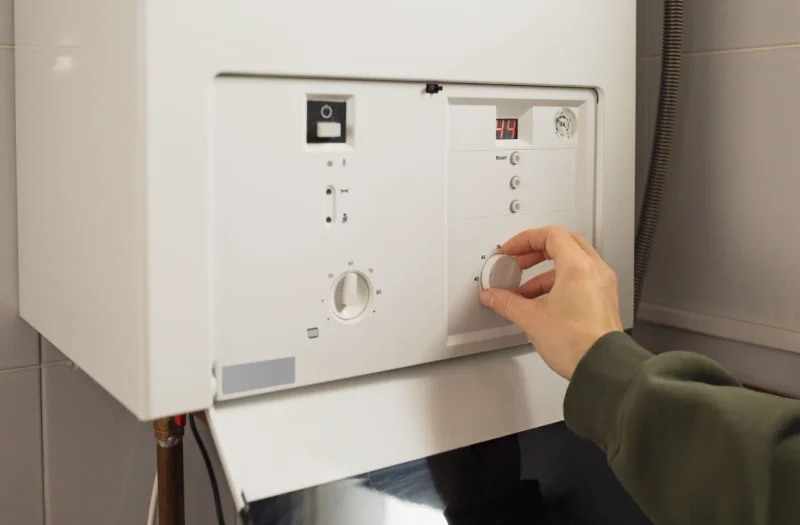

When gas runs out, the boiler often locks itself for safety.
As a result, it usually needs a manual reset.
How to Reset the Boiler
- First, find the reset button on the boiler front or control panel
- Then, press and hold it for 3–5 seconds
- Release the button and wait
The boiler should restart. You may hear the fan or ignition start.
If There Is No Reset Button
Some boilers reset by:
- Turning the boiler off, waiting 30 seconds, then turning it back on
- Using the mode or dial control to reset
Check the boiler display symbols if unsure.
Step 4: Turn Heating and Hot Water Back On
Once the boiler restarts:
- Turn your thermostat back up
- Run a hot tap briefly
- Check that radiators begin to warm
At this point, the system should return to normal operation.
If the Boiler Does Not Restart
If the boiler still does not work:
- Check the meter still shows available credit
- Make sure all gas appliances were off during reset
- Try resetting the boiler once more only
If a fault code remains or the boiler locks out again, stop and seek professional help.
Important Safety Notes
- Never reset a boiler repeatedly
- Never force meter buttons or covers
- If you smell gas, do not reset anything — ventilate the area and contact emergency gas services. Do not flick switches or ignite anything, or do anything that could create a spark.
Quick Summary
- Top up your gas
- Reset the gas meter and restore supply
- Confirm gas is flowing
- Reset the boiler
- Turn heating and hot water back on
Following these steps usually restores service within minutes.